***
## title: Classification
# Building a Spam Classifier with BAML
In this tutorial, you'll learn how to create a simple but effective spam classifier using BAML and OpenAI's GPT models. By the end, you'll have a working classifier that can distinguish between spam and legitimate messages.
## Prerequisites
* Basic understanding of BAML syntax
* Access to OpenAI API (you'll need an API key)
## Step 1: Define the Classification Schema
First, let's define what our classification output should look like. Create a new file called `spam_classifier.baml` and add the following schema:
```baml
enum MessageType {
SPAM
NOT_SPAM
}
```
This schema defines a simple classification with two possible labels: `SPAM` or `NOT_SPAM`.
## Step 2: Create the Classification Function
Next, we'll create a function that uses GPT-4 to classify text. Add this to your `spam_classifier.baml` file:
```baml
function ClassifyText(input: string) -> MessageType {
client "openai/gpt-5-mini"
prompt #"
Classify the message.
{{ ctx.output_format }}
{{ _.role("user") }}
{{ input }}
"#
}
```
Let's break down what this function does:
* Takes an input as a string
* Uses the `gpt-5-mini` model
* Provides clear guidelines for classification in the prompt
* Returns a MessageType
## Step 3: Test the Classifier
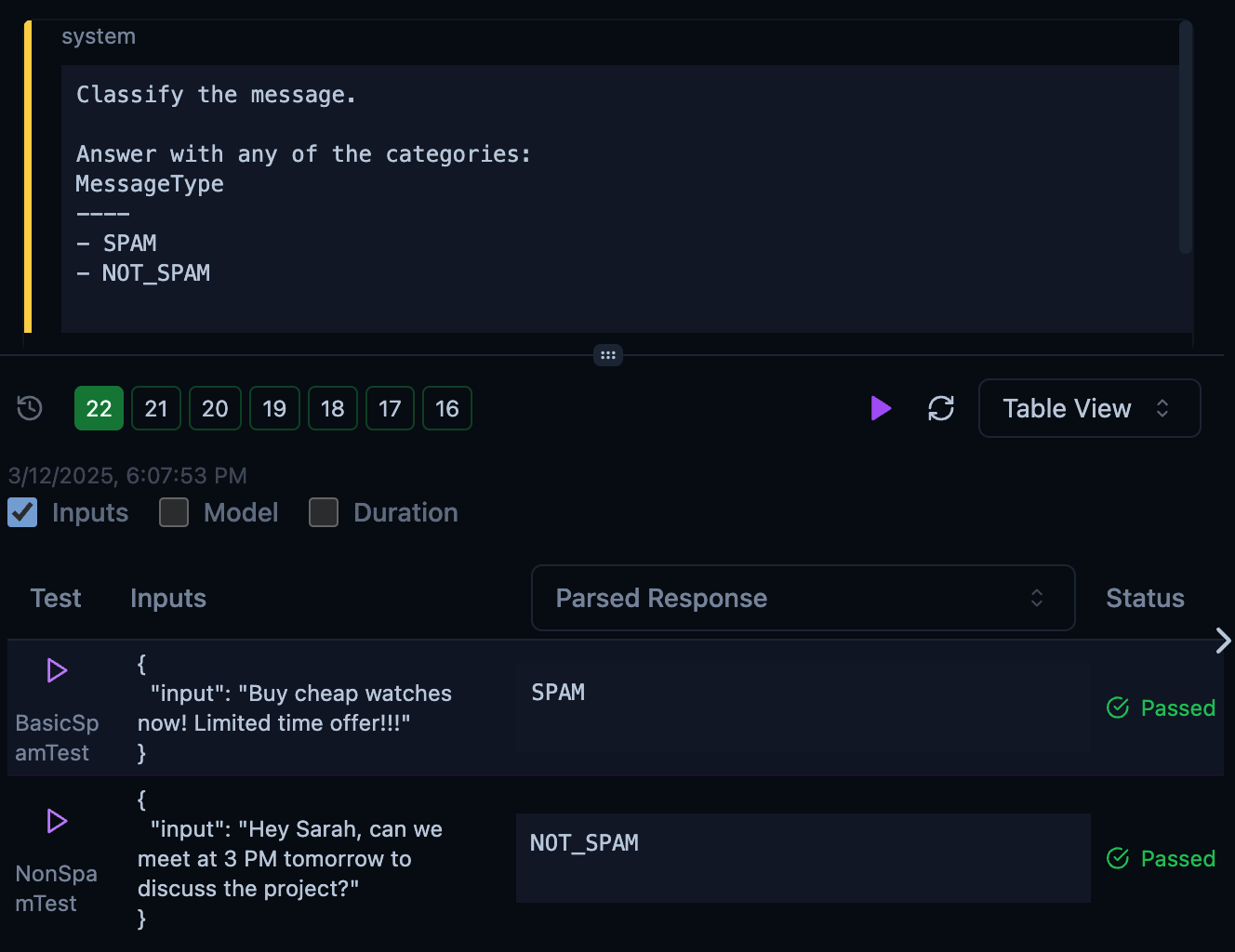
To ensure our classifier works correctly, let's add some test cases:
```baml
test BasicSpamTest {
functions [ClassifyText]
args {
input "Buy cheap watches now! Limited time offer!!!"
}
}
test NonSpamTest {
functions [ClassifyText]
args {
input "Hey Sarah, can we meet at 3 PM tomorrow to discuss the project?"
}
}
```
This is what it looks like in the BAML Playground:
 ## Try it yourself in the Interactive Playground!
Now that you have your classifier set up, try it with your own examples. Here are some messages you can test:
1. "Meeting at 2 PM in the conference room"
2. "CONGRATULATIONS! You've won \$1,000,000!!!"
3. "Can you review the document I sent yesterday?"
4. "Make money fast! Work from home!!!"
## Try it yourself in the Interactive Playground!
Now that you have your classifier set up, try it with your own examples. Here are some messages you can test:
1. "Meeting at 2 PM in the conference room"
2. "CONGRATULATIONS! You've won \$1,000,000!!!"
3. "Can you review the document I sent yesterday?"
4. "Make money fast! Work from home!!!"
## Next Steps
* Experiment with different prompt templates to improve accuracy
* Add more spam indicators to the classification criteria
* Create a more complex classification schema with confidence scores
* Try using different GPT models to compare performance
# Multi-Label Classification
While the spam classifier demonstrates single-label classification (where each input belongs to exactly one category), many real-world problems require multiple labels. Let's build a support ticket classifier that can assign multiple relevant categories to each ticket.
## Step 1: Define the Label Enum and Schema
Create a new file called `ticket_classifier.baml` and define the possible ticket categories as an enum:
```baml
enum TicketLabel {
ACCOUNT
BILLING
GENERAL_QUERY
}
class TicketClassification {
labels TicketLabel[]
}
```
Notice how this schema differs from our spam classifier:
* We use an `enum` to define valid labels
* The `labels` field is an array (`TicketLabel[]`), allowing multiple labels per ticket
## Step 2: Create the Multi-Label Classification Function
Add the classification function to your `ticket_classifier.baml` file:
```baml
function ClassifyTicket(ticket: string) -> TicketClassification {
client "openai/gpt-5-mini"
prompt #"
You are a support agent at a tech company. Analyze the support ticket and select all applicable labels.
{{ ctx.output_format }}
{{ _.role("user") }}
{{ ticket }}
"#
}
```
Key differences from the spam classifier:
* The prompt includes examples showing both single and multiple labels
* Examples demonstrate how labels can overlap
* The model is instructed to consider all applicable labels
## Step 3: Test Multi-Label Classification
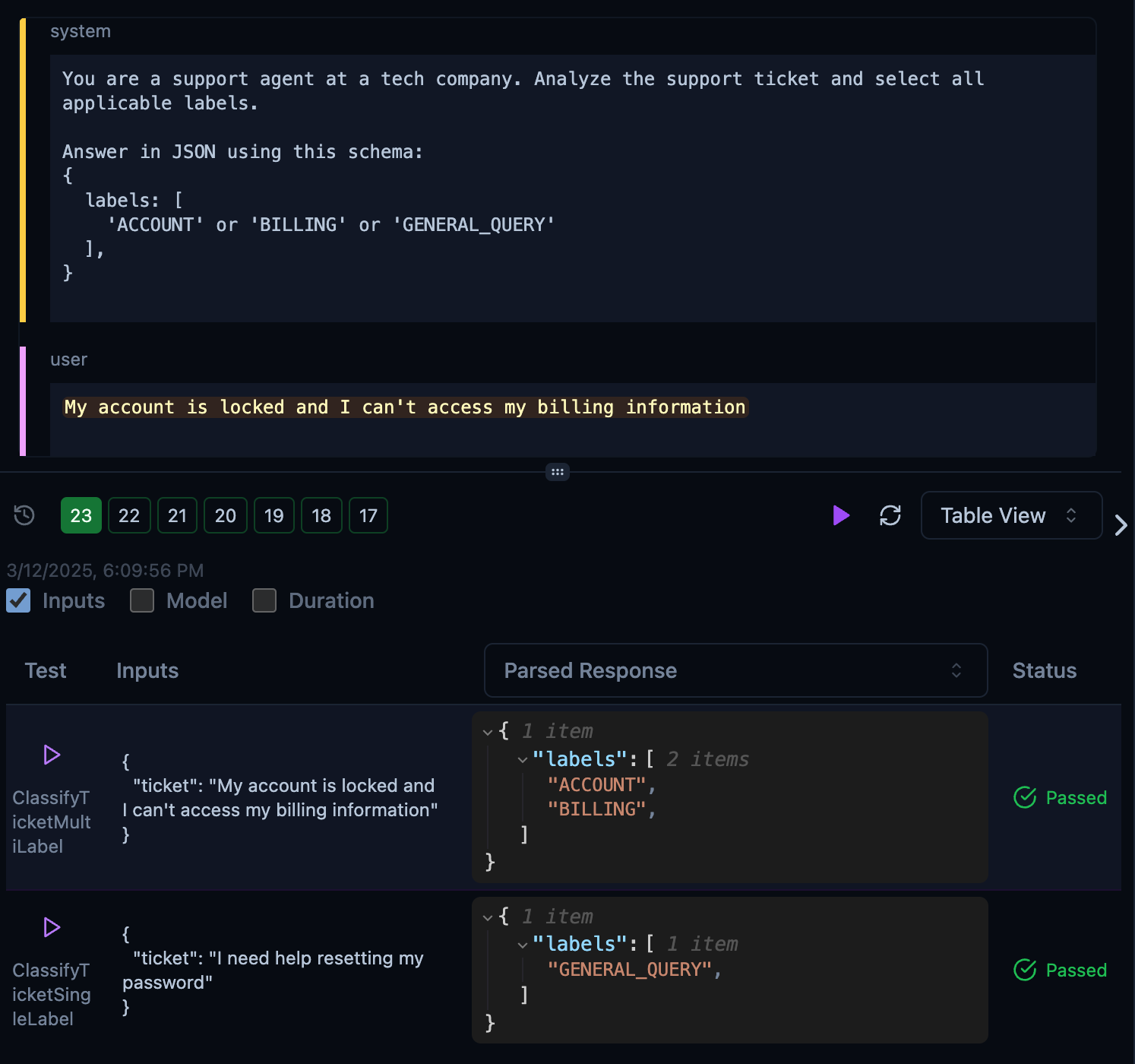
Add test cases that cover both single-label and multi-label scenarios:
```baml
test ClassifyTicketSingleLabel {
functions [ClassifyTicket]
args {
ticket "I need help resetting my password"
}
}
test ClassifyTicketMultiLabel {
functions [ClassifyTicket]
args {
ticket "My account is locked and I can't access my billing information"
}
}
```
This is what it looks like in the BAML Playground:
 ## Try it yourself!
Test the multi-label classifier with these examples:
1. "How do I upgrade my subscription plan?"
2. "I forgot my password and need to update my payment method"
3. "What are the features included in the premium plan?"
4. "My account is showing incorrect billing history"
## Tips for Multi-Label Classification
1. **Balanced Examples**: Include examples in your prompt that show both single and multiple labels
2. **Clear Descriptions**: Add descriptive annotations to help the model understand each label
3. **Test Edge Cases**: Include test cases that verify the model can handle:
* Single label cases
* Multiple label cases
* Edge cases where no labels apply
## Try it yourself!
Test the multi-label classifier with these examples:
1. "How do I upgrade my subscription plan?"
2. "I forgot my password and need to update my payment method"
3. "What are the features included in the premium plan?"
4. "My account is showing incorrect billing history"
## Tips for Multi-Label Classification
1. **Balanced Examples**: Include examples in your prompt that show both single and multiple labels
2. **Clear Descriptions**: Add descriptive annotations to help the model understand each label
3. **Test Edge Cases**: Include test cases that verify the model can handle:
* Single label cases
* Multiple label cases
* Edge cases where no labels apply