You can check out this repo:
[https://github.com/BoundaryML/baml-examples/tree/main/nextjs-starter](https://github.com/BoundaryML/baml-examples/tree/main/nextjs-starter)
To set up BAML with Typescript do the following:
### Install BAML VSCode/Cursor Extension
[https://marketplace.visualstudio.com/items?itemName=boundary.baml-extension](https://marketplace.visualstudio.com/items?itemName=boundary.baml-extension)
* syntax highlighting
* testing playground
* prompt previews
### Install BAML
```bash npm
npm install @boundaryml/baml
```
```bash pnpm
pnpm add @boundaryml/baml
```
```bash yarn
yarn add @boundaryml/baml
```
```bash bun
bun add @boundaryml/baml
```
```bash deno
deno install npm:@boundaryml/baml
```
### Add BAML to your existing project
This will give you some starter BAML code in a `baml_src` directory.
```bash npm
npx baml-cli init
```
```bash pnpm
pnpm exec baml-cli init
```
```bash yarn
yarn baml-cli init
```
```bash bun
bun baml-cli init
```
```bash deno
deno run -A npm:@boundaryml/baml/baml-cli init
```
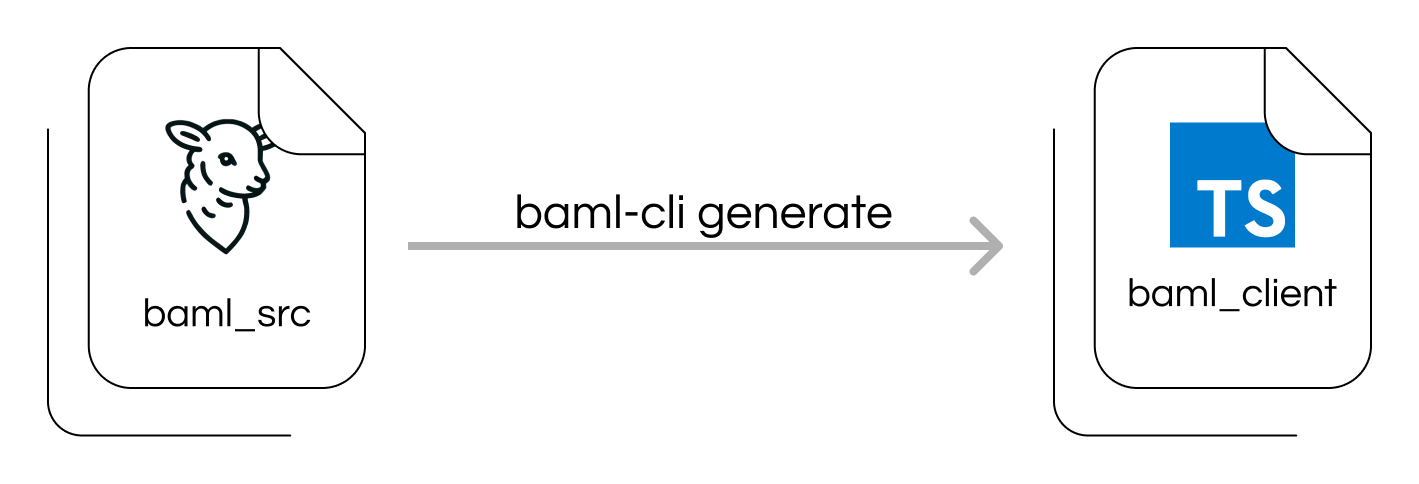
### Generate the `baml_client` typescript package from `.baml` files
One of the files in your `baml_src` directory will have a [generator block](/ref/baml/generator). This tells BAML how to generate the `baml_client` directory, which will have auto-generated typescript code to call your BAML functions.
```bash npm
npx baml-cli generate
```
```bash pnpm
pnpm exec baml-cli generate
```
```bash yarn
yarn baml-cli generate
```
```bash bun
bun baml-cli generate
```
```bash deno
deno run -A npm:@boundaryml/baml/baml-cli generate
# You may need to use the --unstable-sloppy-imports flag if you get an error about ESM
# https://github.com/BoundaryML/baml/issues/1213#issuecomment-2526200783
```
If you need baml\_client to be 'ESM' compatible, you can add the following `generator` configuration to your `.baml` file:
```baml
generator typescript {
...
module_format "esm" // the default is "cjs" for CommonJS
}
```
You can modify your `package.json` so you have a helper prefix in front of your build command.
```json package.json
{
"scripts": {
// Add a new command
"baml-generate": "baml-cli generate",
// Always call baml-generate on every build.
"build": "npm run baml-generate && tsc --build",
}
}
```
See [What is baml\_src](/guide/introduction/baml_src) to learn more about how this works.
 If you set up the [VSCode extension](https://marketplace.visualstudio.com/items?itemName=Boundary.baml-extension), it will automatically run `baml-cli generate` on saving a BAML file.
### Use a BAML function in Typescript!
If
`baml_client`
doesn't exist, make sure to run the previous step!
```typescript index.ts
import { b } from "./baml_client"
import type { Resume } from "./baml_client/types"
async function Example(raw_resume: string): Promise {
// BAML's internal parser guarantees ExtractResume
// to be always return a Resume type
const response = await b.ExtractResume(raw_resume);
return response;
}
async function ExampleStream(raw_resume: string): Promise {
const stream = b.stream.ExtractResume(raw_resume);
for await (const msg of stream) {
console.log(msg) // This will be a Partial type
}
// This is guaranteed to be a Resume type.
return await stream.getFinalResponse();
}
```
```typescript sync_example.ts
import { b } from "./baml_client/sync_client"
import type { Resume } from "./baml_client/types"
function Example(raw_resume: string): Resume {
// BAML's internal parser guarantees ExtractResume
// to be always return a Resume type
const response = b.ExtractResume(raw_resume);
return response;
}
// Streaming is not available in the sync_client.
```
If you set up the [VSCode extension](https://marketplace.visualstudio.com/items?itemName=Boundary.baml-extension), it will automatically run `baml-cli generate` on saving a BAML file.
### Use a BAML function in Typescript!
If
`baml_client`
doesn't exist, make sure to run the previous step!
```typescript index.ts
import { b } from "./baml_client"
import type { Resume } from "./baml_client/types"
async function Example(raw_resume: string): Promise {
// BAML's internal parser guarantees ExtractResume
// to be always return a Resume type
const response = await b.ExtractResume(raw_resume);
return response;
}
async function ExampleStream(raw_resume: string): Promise {
const stream = b.stream.ExtractResume(raw_resume);
for await (const msg of stream) {
console.log(msg) // This will be a Partial type
}
// This is guaranteed to be a Resume type.
return await stream.getFinalResponse();
}
```
```typescript sync_example.ts
import { b } from "./baml_client/sync_client"
import type { Resume } from "./baml_client/types"
function Example(raw_resume: string): Resume {
// BAML's internal parser guarantees ExtractResume
// to be always return a Resume type
const response = b.ExtractResume(raw_resume);
return response;
}
// Streaming is not available in the sync_client.
```