Terminal Logs

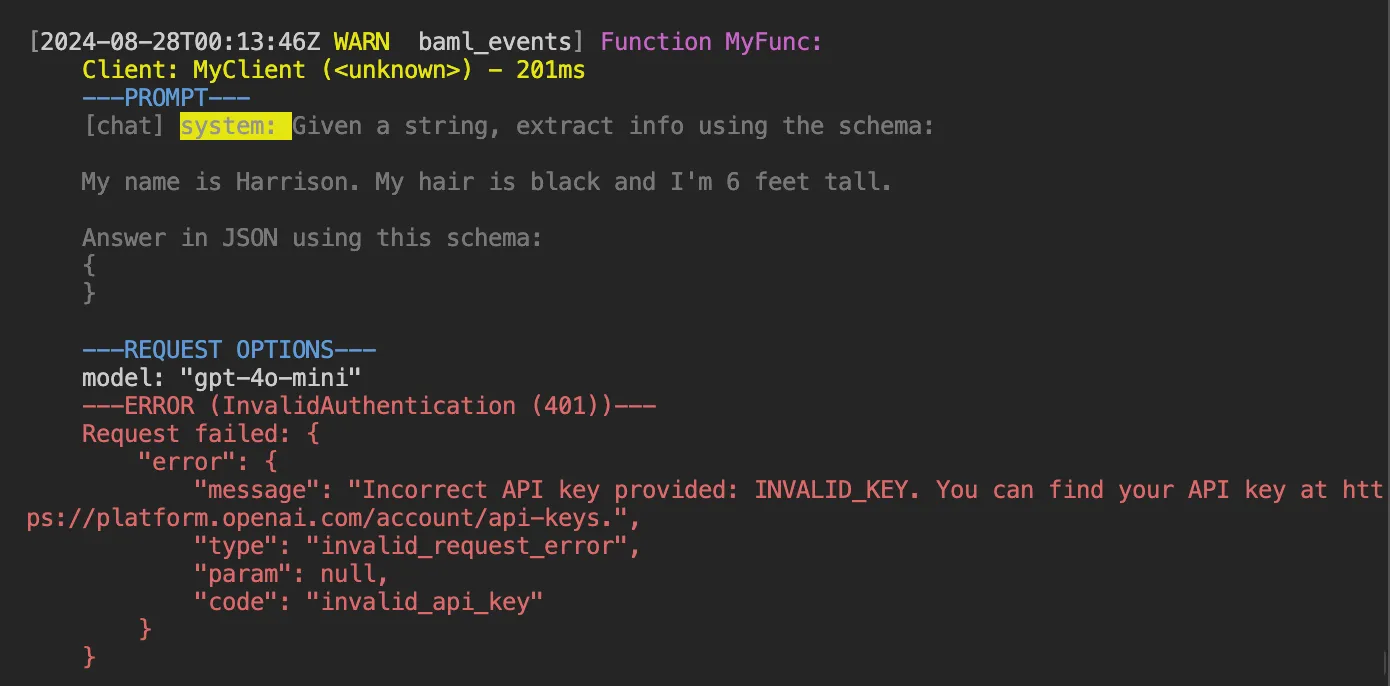
You can add logging to determine what the BAML runtime is doing when it calls LLM endpoints and parses responses.

To enable logging, set the BAML_LOG environment variable:

# default is info
BAML_LOG=info
// Set logging level in Go application
os.Setenv("BAML_LOG", "info")
// Or run with environment variable:
// BAML_LOG=info go run main.go
LevelDescription
errorFatal errors by BAML
warnLogs any time a function fails (includes LLM calling failures, parsing failures)
infoLogs every call to a function (including prompt, raw response, and parsed response)
debugRequests and detailed parsing errors (warning: may be a lot of logs)
traceEverything and more
offNo logging

Example log:


Since >0.54.0:

To truncate each log entry to a certain length, set the BOUNDARY_MAX_LOG_CHUNK_CHARS environment variable:

BOUNDARY_MAX_LOG_CHUNK_CHARS=3000

This will truncate each part in a log entry to 3000 characters.

// Set log truncation in Go application
os.Setenv("BOUNDARY_MAX_LOG_CHUNK_CHARS", "3000")
// Example with both logging and truncation
func main() {
// Configure logging
os.Setenv("BAML_LOG", "info")
os.Setenv("BOUNDARY_MAX_LOG_CHUNK_CHARS", "3000")
// Your application code here
}